Windows and macOS · one-time licence
The drive is in a drawer. You will find your work anyway.
NanoTracker catalogs your external drives. Type a client name and it tells you which drive holds the folder — even if that drive is switched off, on a shelf, or plugged into a colleague's Mac.
No credit card. Download, install and search.
The busy season is over.
Now, where are the files?
You know the feeling. A client asks you to retrieve the "Antonini Wedding" folder from three months ago. You have 15 hard drives stacked on your desk. You start plugging and unplugging them one by one, waiting for the OS to read each one, wasting precious hours. It doesn't have to be this way.
Designed for creative workflows
Photographers, videographers and studios: we solved your number one problem.
Optimised for projects
NanoTracker doesn't bloat your database by tracking millions of individual files (unless you want it to). It tracks folders by default. Search a client name or an event and get the result instantly.
Instant offline search
Drive in a drawer? No problem. Query the database and NanoTracker tells you the exact drive name and the path where your work is stored, before you even plug it in.
Shared database for the studio
Work in a team? Point all studio PCs to the same MariaDB. If John downloads a job on his PC today, Jane finds it with a search from her Mac tomorrow. Fully synced.
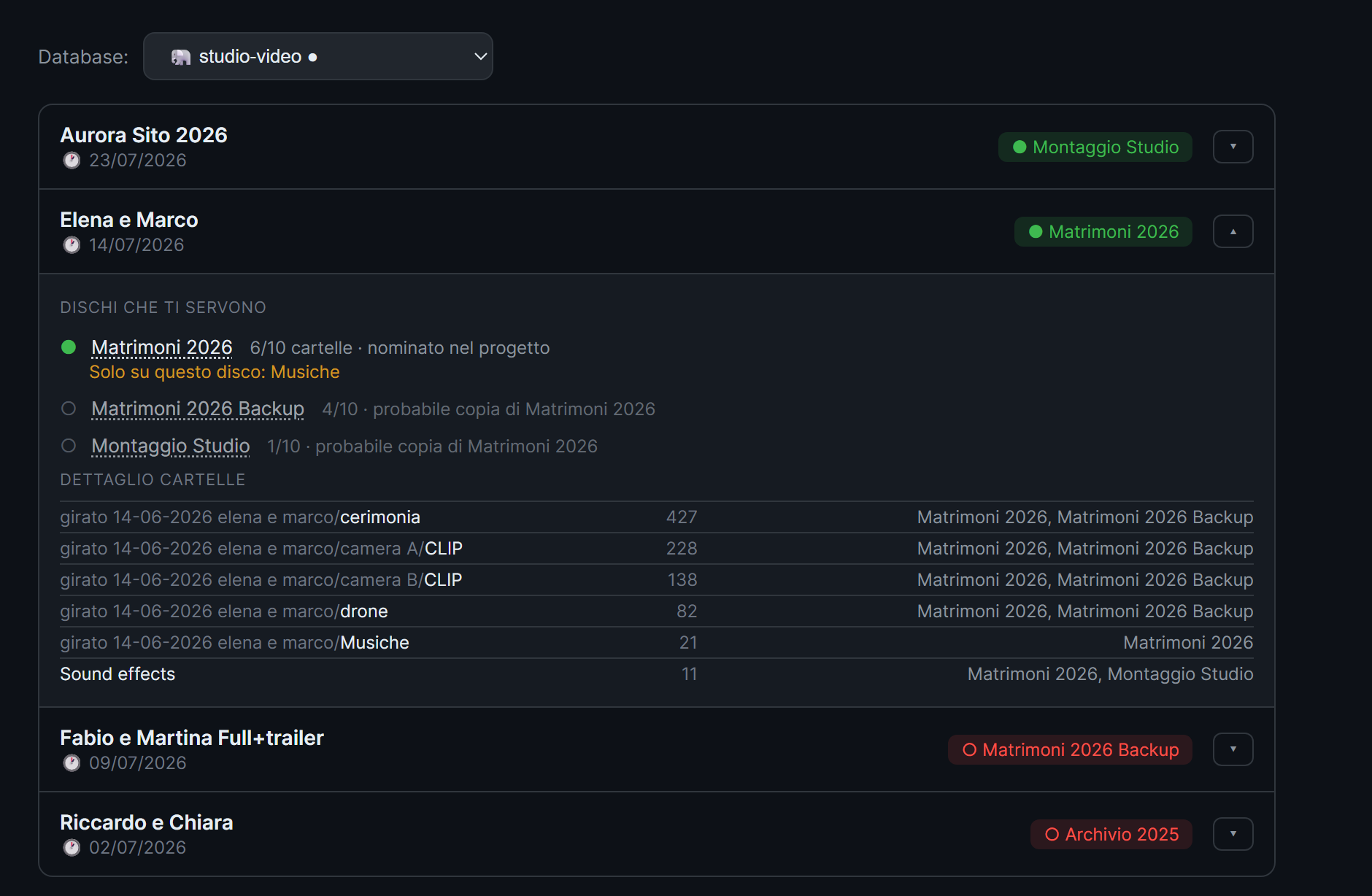
Which of the two drives do you actually need?
You keep every job on two twin drives. But you edited on one of them, and only that one has the music, the graphics, the files you added along the way. When the project moves to colour, which one do you grab?
NanoTracker reads your project and tells you which drives actually hold the files that project uses, highlighting the one with material the others don't have. Without opening the app, without plugging the drives in.
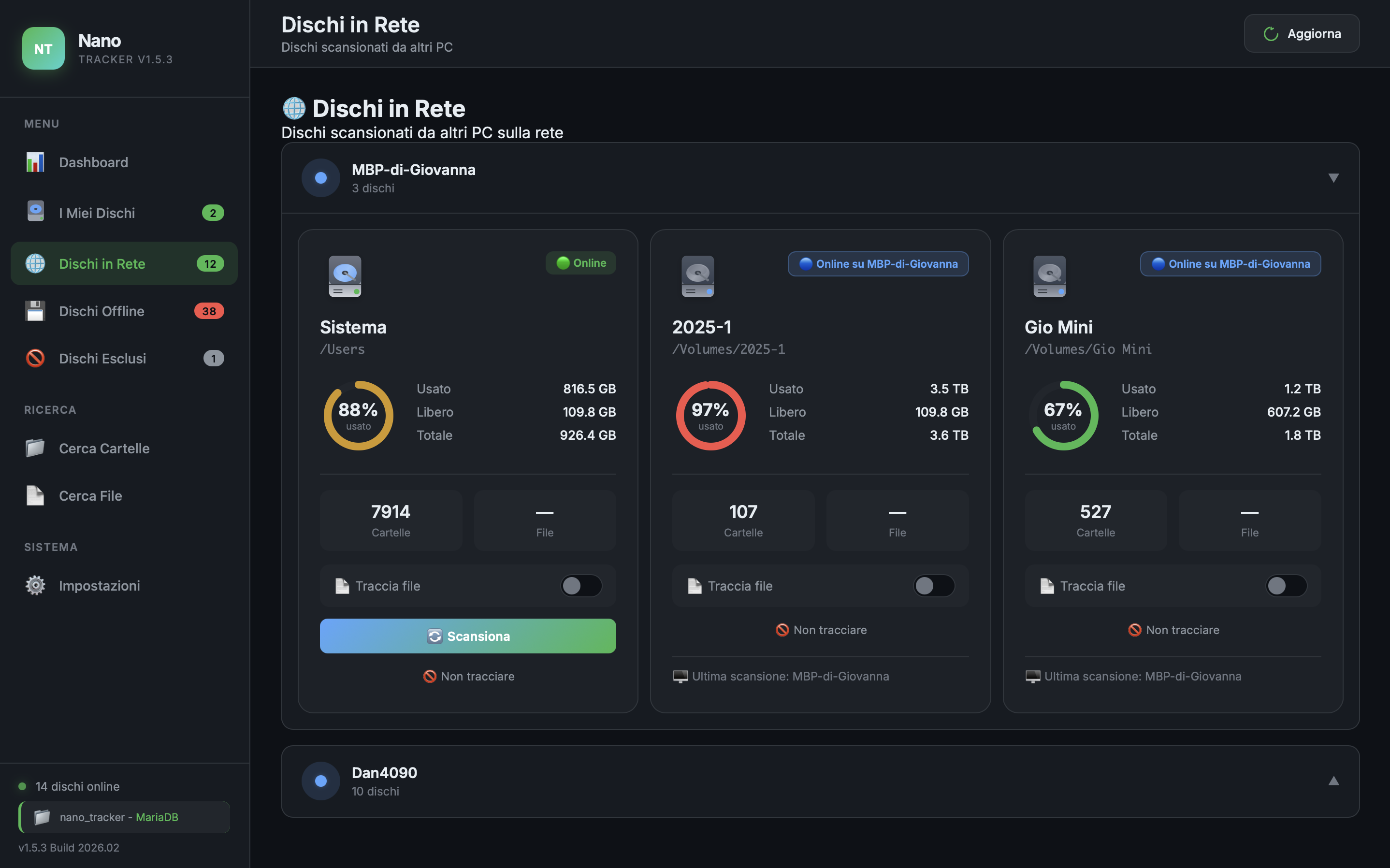
Work across your network, stress-free
The interface clearly shows not just your offline drives, but also those currently connected to other computers on your local network. One single "brain" for all your studio storage.
Pay once. No subscription.
Choose the licence that fits your workflow.
Trial
Test the software with your own drives.
€0 / 15 days
- All features unlocked
- No credit card required
- Local database
Solo
Perfect for freelancers and digital nomads.
€49 one-time
- Licence for 1 computer
- macOS and Windows
- Local SQLite database
- Minor updates included
Studio
For teams that share resources.
€99 one-time
- Licence for 5 computers
- macOS and Windows
- Unlocks shared MariaDB
- Network drive tracking
Download NanoTracker
Free 15-day trial. No credit card required.
Enter your email to access the download.
No spam. Only important product updates.
Frequently asked questions
How does the free trial work?
Download and install NanoTracker. You have 15 days to try all features with a local database. No credit card required. After the trial, purchase a licence to keep using it.
Can I use the same licence on Mac and Windows?
Yes. The Solo licence covers 1 computer (Mac or Windows). The Studio licence covers 5 computers, even mixed Mac and Windows.
What happens if I change computers?
You can deactivate the licence on your old PC directly from the app Settings and reactivate it on the new one. No support contact needed.
What's the difference between Solo and Studio?
Solo uses a local database on your PC. Studio unlocks the shared MariaDB: all studio PCs see the same drives and can search each other's files. Perfect for teams of 2-5 people.
What payment methods do you accept?
Credit/debit cards (Visa, Mastercard, Amex), PayPal, Apple Pay and Google Pay. Payments are securely handled by Lemon Squeezy.
Support
Need help? We're here for you.