The drive is in a drawer. You find it anyway.
NanoTracker catalogs your external drives. Type a client name and it tells you which drive holds the folder — even if that drive is switched off, on a shelf, or plugged into a colleague's Mac.
Windows and macOS, one-time license. No credit card: download, install and search.
The busy season is over.
Now, where are the files?
You know the feeling. A client asks you to retrieve the "Antonini 2024" folder from three months ago. You have 15 hard drives stacked on your desk. You start plugging and unplugging them one by one, waiting for the OS to read each one, wasting precious hours. It doesn't have to be this way.
Every drive you own, on one screen
The ones plugged in and the ones shut in a drawer, with the space left, how many folders they hold and how each one is doing. Without opening anything.
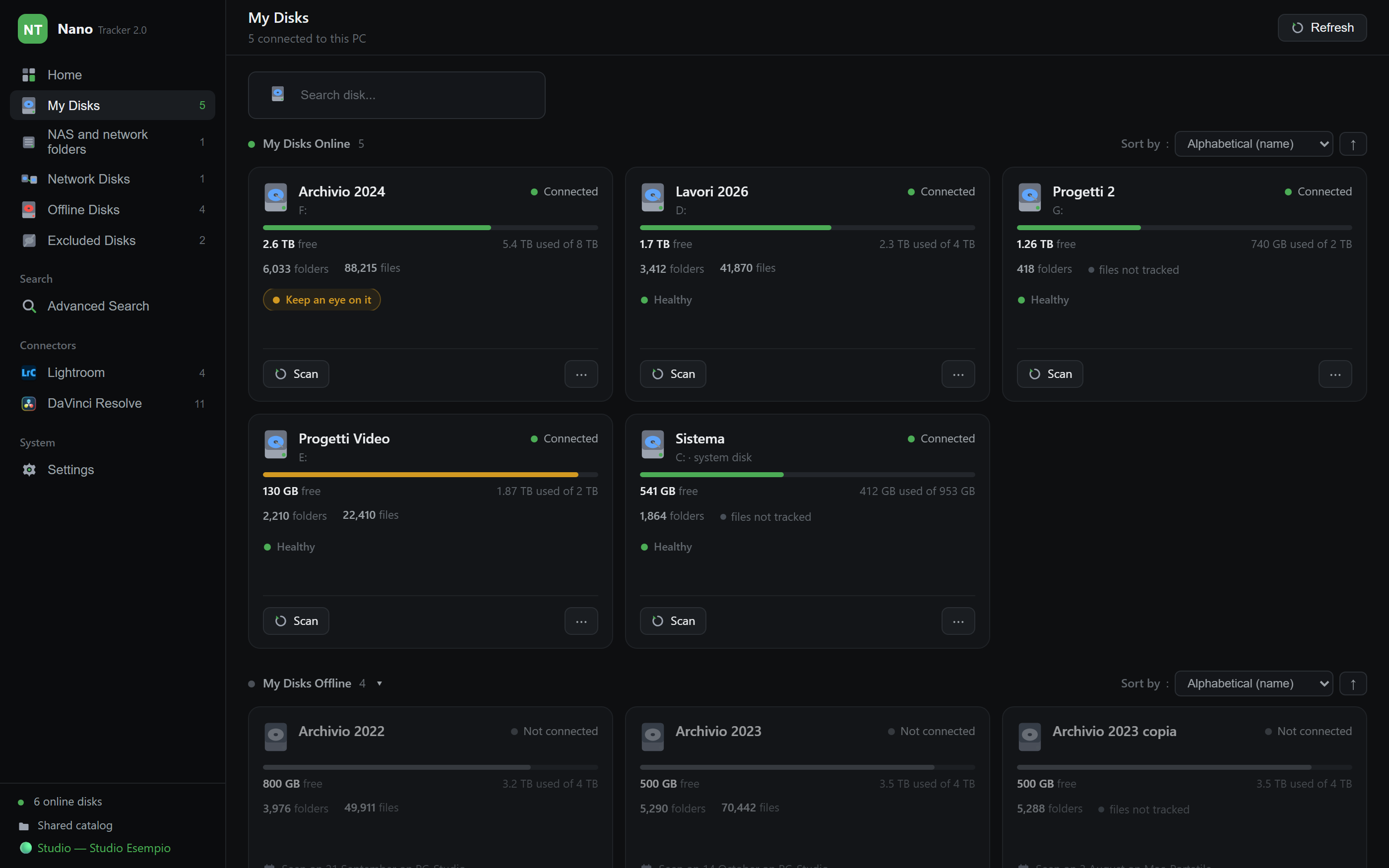
Designed for creative workflows
Photographers, videographers and studios: we solved your number one problem.
- Antonini 2024 PHOTOS \ 2024 \ Antonini ARCHIVE 2024 in a drawer
- Antonini_RAW_ProRes FOOTAGE \ Antonini ASMT 4TB #2 in a drawer
- Antonini - Color PROJECTS \ Resolve \ Antonini WORK SSD connected
The drive is in a drawer. The answer comes anyway.
Type the client's name and NanoTracker tells you which drive the folder is on and the path, before you even plug it in. And you search for it the way you speak: “jobs last summer” is enough.
How it understands your sentence · Finding work on switched-off drives.
Optimised for projects
NanoTracker doesn't clutter your catalog by tracking millions of individual files (unless you want it to). It tracks folders by default. Search a client name or an event and get the result instantly.
Just ask Claude
Connect NanoTracker to Claude and ask about your disks in any conversation: where the Rossi job is, which disks to replace, what you lose if one dies. Claude reads names and sizes only, never your files. How the AI assistant works.
It warns you before it breaks
Every disk keeps counters about itself: bad sectors, hours of work, wear. NanoTracker reads them and tells you in plain English — and only raises its voice when there is really something to do. How disk health works.
Shared catalog for the studio
Work in a team? Point every studio computer at the same catalog. If John downloads a job on his PC today, Jane finds it with a search from her Mac tomorrow. Fully synced.
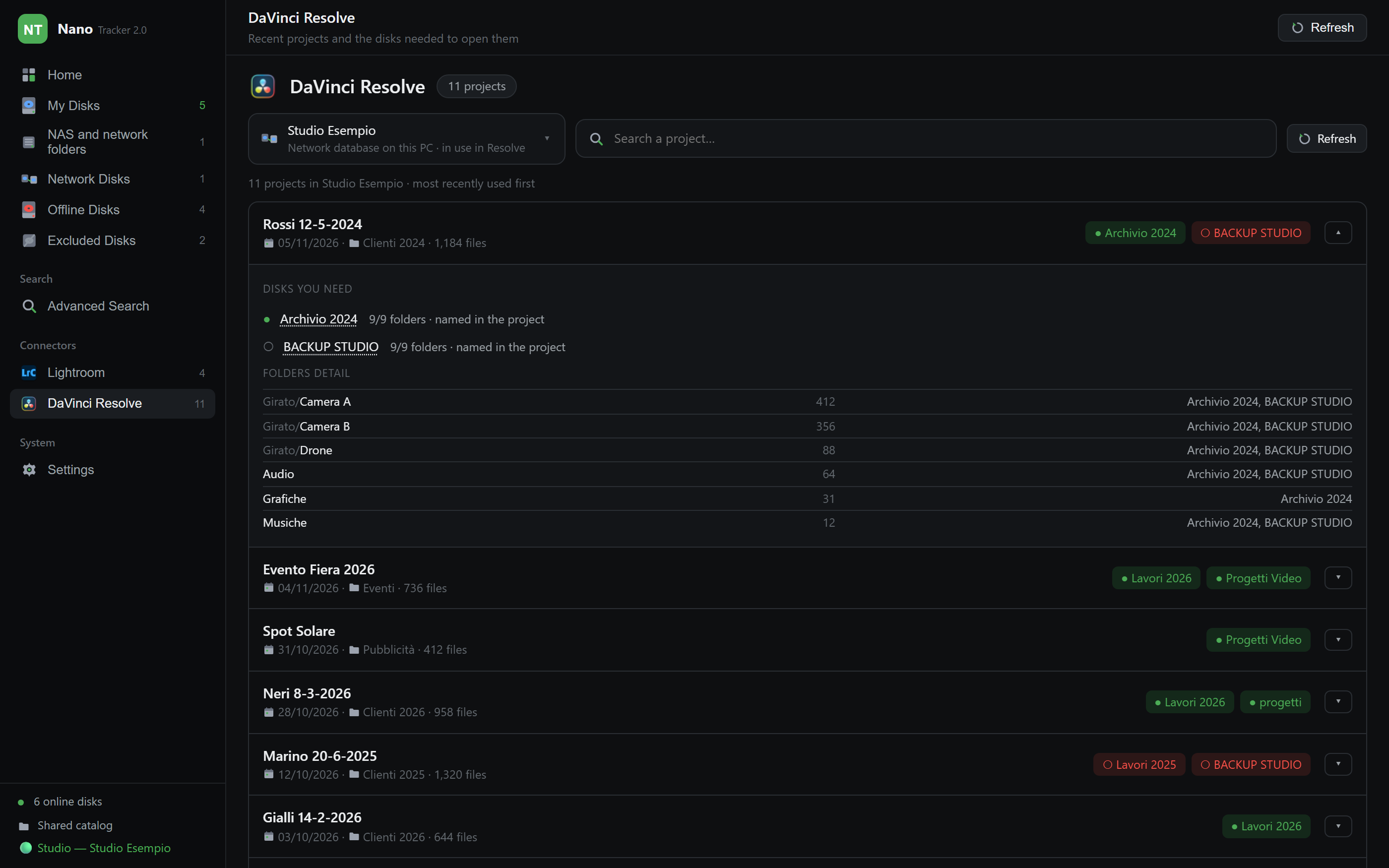
Which of the two drives do you actually need?
You keep every job on two twin drives. But you edited on one of them, and only that one has the music, the graphics, the files you added along the way. When the project moves to color, which one do you grab?
NanoTracker reads your project and tells you which drives actually hold the files that project uses, highlighting the one with material the others don't have. Without opening the app, without plugging the drives in.
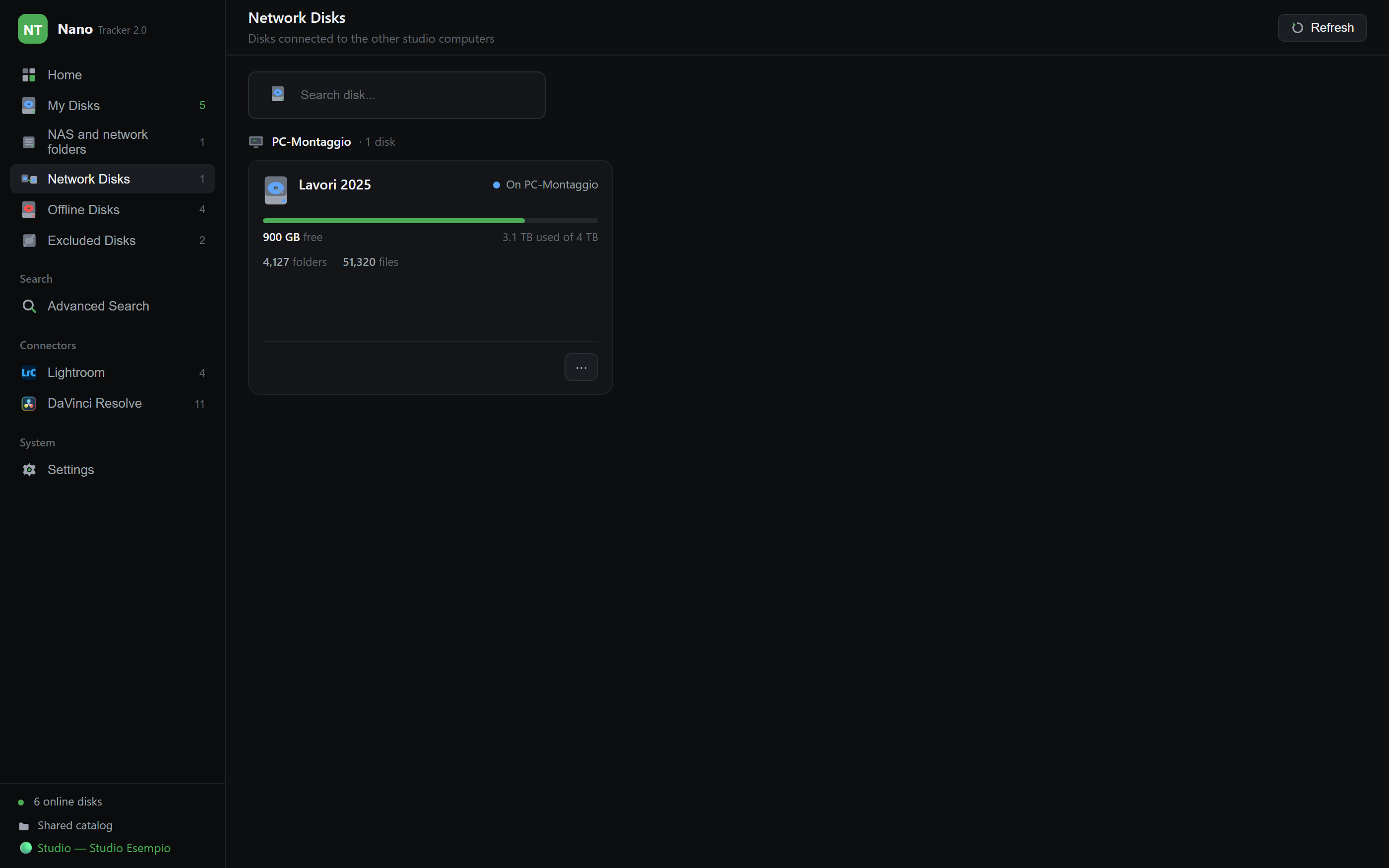
Work across your network, stress-free
The interface clearly shows not just your offline drives, but also those currently connected to other computers on your local network. One single "brain" for all your studio storage.
Pay once. No subscription.
Choose the license that fits your workflow.
Trial
€0 / 15 days
Test the software with your own drives.
- All features unlocked
- No credit card required
- Catalog on this computer
Solo
€49 one-time
Perfect for freelancers and digital nomads.
- License for 1 computer
- macOS and Windows
- Catalog on this computer
- Minor updates included
Studio
€99 one-time
For teams that share resources.
- License for 5 computers
- macOS and Windows
- Unlocks the shared catalog
- Network drive tracking
Download NanoTracker
Free 15-day trial. No credit card required.
Windows
Windows 10 / 11 (64-bit)
Download for WindowsmacOS
macOS 12+ (Intel and Apple Silicon)
Download for macOSWant to know when an update comes out? Leave your email — it is optional.
No spam. Only the updates that matter.
Frequently asked questions
How does the free trial work?
Download and install NanoTracker. You have 15 days to try all features with the catalog on this computer. No credit card required. After the trial, purchase a license to keep using it.
Can I use the same license on Mac and Windows?
Yes. The Solo license covers 1 computer (Mac or Windows). The Studio license covers 5 computers, even mixed Mac and Windows.
What happens if I change computers?
You can deactivate the license on your old PC directly from the app Settings and reactivate it on the new one. No support contact needed.
What's the difference between Solo and Studio?
Solo uses the catalog on this computer. Studio unlocks the shared catalog: all studio PCs see the same drives and can search each other's files. Perfect for teams of 2-5 people.
What payment methods do you accept?
Credit/debit cards (Visa, Mastercard, Amex), PayPal, Apple Pay and Google Pay. Payments are securely handled by Lemon Squeezy.
Want to go deeper?
Support
Need help? We're here for you.